
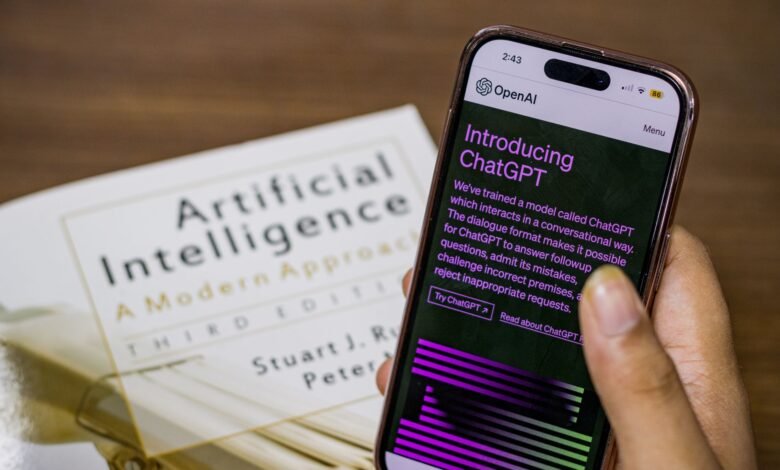
Choosing just one AI assistant to help answer day-to-day queries or assist with drafting content and conducting research seems like a long-term commitment, but, in fact, when using these tools for general text-based conversations, most of the popular options function the same way. While the basic conversational ability of each product can be similar, the underlying factors that delineate the products primarily relate to what is not included as part of their free tier, and to the types of data control features that are enabled by default before you access any of their settings menus.
Vendors build their applications to meter usage for particular resource-intensive activities (like picture generating, generating complex content from scratch, etc.) while not limiting usage of their casual written technical forms (text conversations) to the same degree. Therefore, reaching a paywall indicates the type of action you are asking the App to take rather than how often you are using it. Knowing where these boundaries are, and what it actually means to shut off the training toggle, allows you to move from a guess-based selection process to a defensible selection process, and that all comes down to three specific limits per application and one settings screen that takes approximately one minute to use.
For Everyday Text Chatting, the Big Five Are Closer Than the Rankings Admit
ChatGPT, Google Gemini, Claude, Microsoft Copilot, and Perplexity have all reached a point in their development where any one of these applications will provide almost identical outputs when drafting e-mails, summarizing articles, or helping troubleshoot a recipe. The tech media tends to write about who has the “best overall” assistant but overlooks how each of these assistants really works when using free (or entry-level) versions of their products. As far as standard text generation is concerned; the underlying technology for all of the top companies has plateaued and is functionally interchangeable.
The fear of having selected the “wrong” assistant or missing an opportunity to benefit from a universally better assistant is mostly misplaced. There is no reason to believe that any of the companies mentioned here have a significantly better text engine hidden because you are using a free account. The eventual problem you will encounter with your selection of assistant will not be based on intelligence; it will be based on limitations, the integration possibilities with other applications (an implication of their ecosystem), and how they choose to distribute or ration the more costly (highly correlated with the functionality of the assistants) features that they provide next to their chat box.
Where They Actually Diverge: Ecosystem, Research, and Long Documents
Once users begin to go beyond simple prompts and request that their assistant integrate into their digital ecosystem, we can see the true decision axes emerge. Ecosystem fit is the most important area of differentiation; if you are currently using Google Workspace, then Google AI’s plans that include Gemini will likely be the easiest path to take, as you will have easier access to Gemini through Gmail, Docs, and other Google Workspace services. Similarly, Microsoft Copilot is incorporated into Microsoft 365 so if you are using that product already, then it will be easy to adopt for you.
If research that requires verification is your primary goal, then Perplexity has built its whole interface around the citation of web source material, which eliminates the need for you to cross-reference any claims. On the other hand, Claude has identified a distinct niche, which is the production of long-form documents through its Projects feature, allowing you to pin particular knowledge bases to a dedicated workspace. These are not merely competing products with respect to their general conversational ability; rather, they are products that fit into different workflows.
What the Free Tier Actually Withholds — Across All Five
Every big vendor has free tiers, but none of them publish an easy-to-read message count. Instead, the vendors withhold certain (more computationally-intensive) actions, but leave the chat open, which allows users to keep chatting for a very long time. When a user requests an image to be generated or a document to be analysed via PDF, for instance, they have hit that computationally-expensive barrier, whereas they have previously been able to keep building and chatting until that point in time.
| Tool | Everyday Text | Compute-Heavy Actions (Images, Uploads, Deep Research) |
|---|---|---|
| ChatGPT | Unlimited* (subject to abuse guardrails) | Limited |
| Google Gemini | Compute-based baseline | Metered by prompt complexity and length |
| Claude | No fixed message count | Restricted on Free; Projects capped |
| Microsoft Copilot | Subject to available capacity | Limited image generation |
| Perplexity | “Best” mode has no quota limit | Pro Search and advanced models are capped |
OpenAI clearly labels both file uploads and image creation as “Limited” in its pricing matrix for free users. In contrast, it uses “Unlimited*” for General Text (which means that it allows unlimited numbers of input messages per day) when customers are on the regular pricing level. Google advertises its paid tiers as multiples of the free tier’s monthly limit, whereas Anthropic makes no mention of the maximum number of messages a user can send; they instead rely on a rolling window to limit message counts. Regardless of which company you’re looking to provide services from, the main distinction between free vs. paid accounts comes down to heavy-duty tasks, not just simple interactions/conversations.
Why “Free Is Unlimited” Still Hits a Wall
Vendors impose limits on free plans because they utilize an allowance of computation rather than simply removing features from free plans. To process a large PDF file or to run through many steps of a conversation, much more server power is needed than for an email response. To prevent overloading their servers, companies will only allow each user to use a specified amount of server power on a given day or week.
This is also why if you pay for a paid subscription, it does not make the limits disappear. As per the current guidance from Anthropic, users will have a reset limit every five hours of continuous use, however paid subscription tiers will allow users to have an additional set of weekly limits. If a user has a premium plan and spends the entire weekend processing large volumes of documents, they may still receive a warning that they are about to hit their limit. The additional amount of compute users receive for their paid tiers is just a larger bucket of computing time and access to the newest models. The method for measuring the use of compute will remain in place to ensure that companies can properly manage the load on their servers.
What the Apps Themselves Say They Collect
It’s important to know what data will be collected from your daily journaling and work brainstorming. The App Store privacy labels offer a clear, consistent language to understand how companies may use your data overall while not providing independent verification of how data is collected and stored.
| Tool | App Store Privacy Declaration (Data Linked to You) | Vendor Privacy Emphasis |
|---|---|---|
| ChatGPT | Usage Data (Product Interaction, Advertising Data) | Opt-out available for model training |
| Google Gemini | App activity, search history, and connected apps | Keep Activity toggle and auto-delete windows |
The differences between how the vendor describes its privacy practices on its own website and how it describes those practices through its development label are vast. For example, a developer may promote their use of encryption on their website, while the development label lists all advertising information as being associated with their user’s identity without mentioning encryption. In addition, the development label will indicate to users what the vendor is claiming it is allowed to track with respect to the metadata it collects on its users; this is a critical difference between what the vendor does with the actual text of a user’s prompts and how the vendor uses that metadata.
Does Your Phone Get the Same Assistant as Your Laptop?
Surface parity cannot be assumed. According to Google’s own FAQ regarding subscriptions, there are likely to be differences in features across their Gemini mobile and web applications. In contrast, Microsoft approaches their mobile, desktop and Edge distribution as three different surfaces, and Claude and Perplexity manage their app store payments through completely different processes.
The one exception to this rule is ChatGPT which has identical access levels across web, iOS and Android devices for its core tiers; however, when it comes to features like custom GPTs or advanced voice mode – before you install the mobile version of the application – ensure that those features exist within that build of the app, rather than interpreting that the features from the web application apply to your mobile application.
Where the Training Controls Are — and What Turning Them Off Doesn’t Stop
If you want to prevent future models from using your conversations, you must find the toggle (name varies by vendor). In ChatGPT, it is located under Settings > Data Controls, and is referred to as “Improve the model for everyone”. In Google, it is called “Gemini Apps Activity”; and in Claude, it is called “Model Improvement” within the Privacy Settings.
Turning this off does not make you anonymous to the system. In Google’s Privacy Hub, it is stated that even if you have disabled tracking of your activities, Google will still retain your chats for up to 72 hours after your last chat. The time allows Google to analyse feedback and protect users from any type of misuse while gathering information and feedback. Anthropic similarly states that any interactions submitted for safety reviews and/or explicit feedback, even if submitted following deletion instructions, will still be retained outside of your normal deletion timeframe. The toggle will stop any additional data from being sent into general training, but it doesn’t bypass the safety and misuse monitoring capabilities that require temporary retention of the data.
How Long This Advice Stays True — and How to Re-Check It
No software category has evolved more rapidly than the artificial intelligence sector, with ChatGPT launching numerous iterations (iOS) within a single month while suppliers frequently update their pricing grids but do not necessarily announce an updated version number at that time. The designation assigned to the model is just one element within this industry that undergo constant change as well as the multiplier used to establish the monthly cost of the tiers offered by each vendor, and the presence of a specific privacy setting within the vendor’s account settings.
While these features may continue to evolve, the foundational building block of the model ( computing processes) will always have a measurable cost associated with them (“metered”), along with optional participation in a training program opt-out feature available through a user’s account settings. If you want to be certain that the information presented above remains valid, simply visit the vendor’s current pricing web page and check for any change in pricing limits, as well as access your mobile application setting and confirm what label is placed next to the data control toggle.
The Best AI Chatbot for You: A Decision You Can Defend
When selecting an assistant for everyday use, the focus should be less on choosing the most advanced model and more on ensuring that its capabilities match your current activities; specifically, you’re looking to use an assistant that has limitations in areas where you have limitations. If your primary focus is obtaining an in-depth cited research paper with as little as possible to no manual effort on your part in verifying it, then Perplexity is the best option to meet that need. However, the advanced search feature provided by Perplexity is only available for subscribers and has a subscription fee associated with it.
Those who have an existing subscription to either Google One or Microsoft 365 can take advantage of either of the bundled services, Gemini and Copilot. Not only do these provide you with access to the Gemini and Copilot applications but because you were paying for the service prior to getting it, you can continue to have access to the applications without adding another line item on your bill. For those users who are more focused on creating detailed long-form analysis of documents and who would like to create a dedicated workspace around that work, Claude has an added benefit over either Gemini or Copilot through its use of Projects. The only thing to keep in mind is that each of the applications has a free tier that, in most cases, will prompt you to upgrade as soon as you attempt to upload any significant files, and all of them require you to actively turn off the privacy toggle.
The Bottom Line on Your Daily Driver
Functionally, all leading AI assistants will perform the same for most common text tasks. Therefore, determining which one you should use is primarily based on which vendor’s ecosystem works best for you and how each vendor charges you for those CPU-intensive tasks (like uploading files). Before signing up for your chosen application’s paid tier, it is a good idea to check the data controls section of your application and see precisely which functions are still enabled after choosing to opt out of having your data used for training purposes. If you do not check this settings screen, then that means you are agreeing to the default data retention policy implemented by the vendor you decide to use.
Frequently Asked Questions
Does deleting the AI app cancel my subscription?
The only thing that happens when you delete an app from your phone is that the local software on your phone is deleted. Your billing agreement will remain intact, and you will continue to be charged for that subscription, unless you cancel your subscription directly through either the Apple App Store, Google Play Store, or the vendor’s website billing portal.
How do I export my chat history before switching tools?
Typically, export tools aren’t available through your vendor’s mobile app, but they can be found within your vendor’s online account settings. To access them, you’ll need to log into your account via a web browser on a desktop computer. Your account dashboard will have a link to the “data controls” or “privacy” section (the terminology used may vary depending on your vendor). You will find the option to request your data export there. The data will be prepared for download and sent to you via email in either an HTML or JSON format.
